MEDITECH MHealth
- 3.1
- Rating
- 1.00M
- Installs
- Free
- Price

 Analysis by App-foxy
When I first opened MEDITECH MHealth, I approached it as a practical medical companion rather than a general wellness app. It is the mobile version of MEDITECH’s Patient and Consumer Health Portal, developed by Medical Information Technology, Inc., so its usefulness depends heavily on whether your healthcare provider uses the MEDITECH system. That point matters more than the attractive idea of having your health information on a phone: this is primarily a bridge to an existing patient portal, not a replacement for a doctor, a diagnostic tool, or an emergency service.
For someone who already receives care through a compatible MEDITECH portal, the app can make routine account access less awkward. Instead of relying on a computer every time you want to check information, you can use a mobile interface designed around patient access. I found that the best way to judge it is not by expecting a complete digital hospital experience, but by asking a simpler question: does it reduce the small amount of friction between a patient and the information their care organization has made available?
What to expect before you begin
The first thing to understand is that installing the app does not automatically create a useful medical profile. The important connection is between the app and your healthcare organization’s MEDITECH patient portal. If your clinic or hospital does not use a compatible MEDITECH portal, there may be little for you to do after installation. This is the most important suitability check, and it is worth making before spending time troubleshooting an account.
You May Also Like

 Blood Strike: 2.5 Anniversary
Blood Strike’s Loadouts Turn Every Drop Into a Tactical Gamble
A close look at Blood Strike’s custom loadouts: how fast access to signature weapons reshapes its battle royale rhythm, rewards preparation, and narrows the gap between fights.

 Pandora - Music & Podcasts
Pandora’s Music Is Easy to Start, but Harder to Recover
Pandora’s strength is its low-effort path from a seed to a station. Its weak spot is how much confidence it asks you to place in connection, setup, and quiet recovery.

 8 Ball Pool
 Is Built on Rivalries, Rematches, and Routine
A close look at the rivalries, rematches, shared routines, and unanswered safety questions that turn a quick pool match into a persistent mobile community.

 Samsung Music
’s Quiet Strength Is Playing What You Already Own
Its reach comes less from spectacle than from dependable access to a personal library. That simplicity is both the app’s strongest retention engine and its ceiling.

 AccuWeather: Weather Radar
AccuWeather Review: A Quick, Clear Forecast for Everyday Decisions
For everyday plans, the best forecast is the one you can understand quickly. AccuWeather makes rain timing, radar, and local conditions easy to act on, with a few trade-offs.

 Hill Climb Racing
Why Hill Climb Racing Still Turns Crashes Into One More Run
A tiny car, a bumpy hill and one more upgrade: Hill Climb Racing keeps resurfacing because its simple chaos makes every near-miss feel personal.
More From Our News Desk



The app is free and carries an Everyone age rating, which makes it approachable for households where a family member may help someone else manage portal access. It requires Android 12 or later, so an older Android phone may be the first obstacle. The current version is 1.20.0, and the app was released on June 12, 2017. Those details do not tell me how smoothly it will behave on every phone, but they do give a clear starting point for compatibility.
Its medical category can create the wrong expectation if you are looking for symptom analysis, exercise coaching, medication reminders, or a broad personal health dashboard. I would not install it expecting those things. I see it as a patient-facing access point: useful when your care provider has made information or communication available through the MEDITECH environment, but limited by what that organization supports and publishes.
The public response is mixed. It has a 3.3 average from around 2.3 thousand ratings, with roughly 1 thousand written reviews and more than 1 million installs. I would read that combination as a reason to keep expectations realistic rather than as an automatic warning. A portal app can feel excellent to one patient and frustrating to another because the experience depends on account setup, organization configuration, phone compatibility, and the quality of the information available through the connected portal.
A realistic everyday use case is a patient who has just returned from an appointment and wants to stay organized without repeatedly calling the office. After the account is connected, the phone becomes a convenient place to revisit whatever the provider has made available. That may be more useful than keeping paper notes in a drawer, especially when the patient is away from home or helping a relative remember where to look.
There is also a useful boundary here: do not treat the app as an urgent-care channel unless your healthcare organization explicitly directs you to do so. If you have a serious or time-sensitive medical concern, use the appropriate emergency or clinical route. A patient portal can support ordinary communication and information access, but it should not become the only plan for immediate care.
Check the practical fit first
Before installing, ask yourself three questions. Does your provider use MEDITECH’s Patient and Consumer Health Portal? Is the Android phone running version 12 or newer? Are you trying to access existing care information, rather than searching for a medical advice app? If the answer to the first question is no, a different portal or your provider’s own app is likely the better choice. If the answer to the third is no, a dedicated symptom, medication, or wellness tool may match your goal more closely.
That simple check prevents a common disappointment: downloading a legitimate app and assuming it should contain your complete medical history immediately. The app is part of a larger care system. Its value starts when the account and the healthcare organization are aligned.
Setting up the account without unnecessary frustration
I recommend doing the first setup when you have your provider’s portal instructions nearby and enough time to read each prompt carefully. Medical accounts are not a good place for rushed guessing. If you already have portal credentials, use the exact details associated with that portal rather than creating a second account with a different spelling or email address. Small mismatches can make a normal login look like a technical failure.
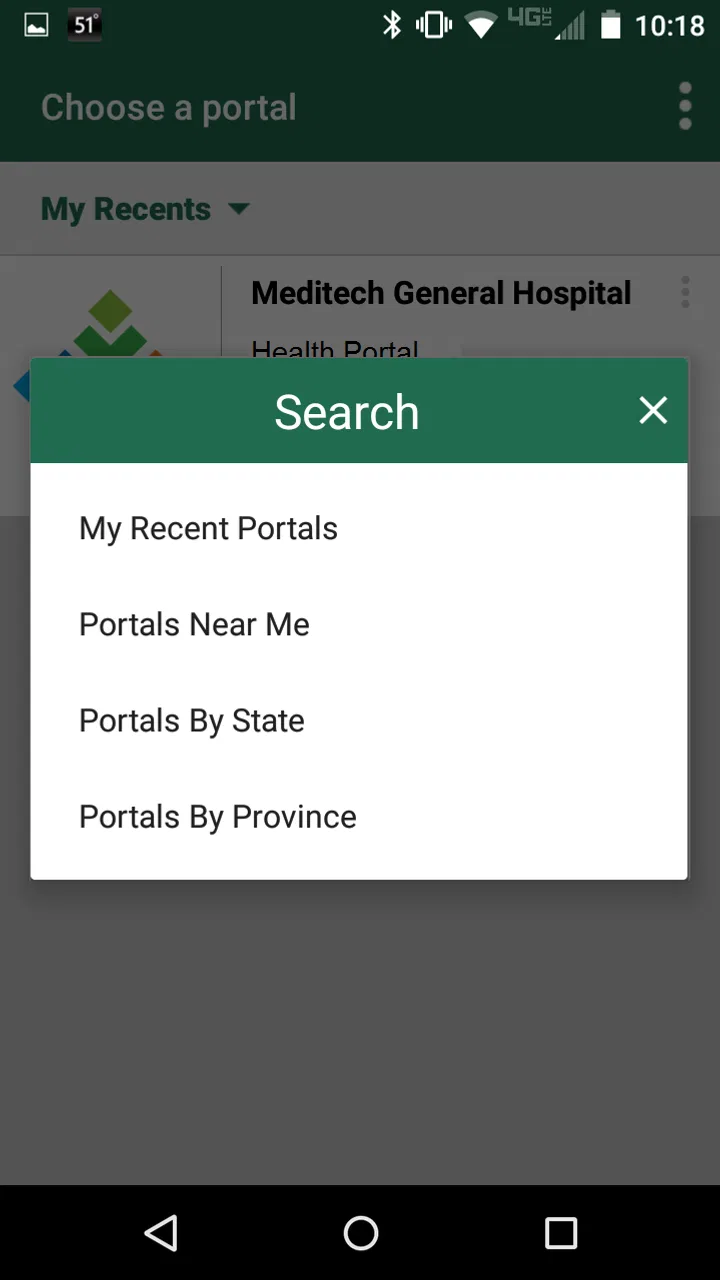
After installation, look for the sign-in or account connection path and follow the organization-specific instructions. The important decision is whether the portal recognizes your existing relationship with the healthcare provider. If you are being asked for an activation code, enrollment detail, or organization selection, do not invent an answer. Contact the provider’s portal support or registration desk and ask which enrollment route applies to you.
The fastest setup is usually the one that confirms your portal relationship before you start exploring. I would avoid repeatedly trying random passwords or registering several accounts. That creates confusion about which profile is connected and can lead to unnecessary lockouts or support calls. Keep a note of the username or identifier you actually used, but do not store sensitive credentials in an exposed note or share them casually with family members.
Privacy also deserves a practical approach. Because this is a medical app, I would use a screen lock on the phone and avoid signing in on a shared device unless I can fully sign out afterward. If a trusted relative helps with setup, I would stay present and make sure I understand which account is being used. Assistance is useful, but medical access should remain under the patient’s control whenever possible.
One subtle trade-off is convenience versus account separation. A phone makes access easier, but it also makes the portal available wherever the device goes. That is helpful when traveling to an appointment or discussing information with a caregiver, yet it means the device itself needs sensible protection. I would treat the phone as an extension of the medical record, not as an ordinary social app.
What to do if the first login does not work
Start with the least complicated explanation. Confirm that the phone meets the Android requirement, check that the login details belong to the correct MEDITECH portal, and make sure you are following the instructions from the healthcare organization rather than a different provider’s process. If the problem continues, the provider’s portal support is more likely to solve an enrollment issue than general trial and error inside the app.
This is where the app can feel less forgiving than a general productivity tool. A calendar app can often be used immediately after installation; a medical portal cannot provide meaningful information until identity and provider access are established. I consider that a necessary limitation, but it still affects the first impression. The setup experience is not really complete when the app opens. It is complete when you can reach the account connected to your care.
Reaching the first meaningful success
For a first-time user, I would define success narrowly: open the app, reach the correct patient portal, and confirm that you can find the information or communication area you actually installed it for. Do not try to understand every screen on the first visit. Pick one goal, such as checking whether your portal account is accessible or locating the place where your provider’s updates appear.
This approach is reassuring because it turns a vague medical app into a short workflow. First, verify the correct portal connection. Next, look for the specific patient information your provider told you to expect. Finally, close the app and return later when you have a real reason to use it. If the first successful visit is simply confirming access, that is enough; there is no benefit in wandering through unfamiliar sections just to make the app feel busy.
A useful habit is to open the app before an appointment rather than waiting until you are sitting in the waiting room. That gives you time to resolve an account issue while you still have access to your provider’s instructions. It also lets you arrive knowing whether the mobile portal is practical for you. If you are helping a parent or another family member, doing this test together can prevent stressful last-minute confusion.
I would also keep the app’s role clear during a visit. It can help you access the patient portal, but it does not replace writing down questions or discussing concerns with a clinician. A good workflow is to use the app to review what is available, then bring unclear items to the appropriate healthcare professional. That prevents the common mistake of treating a portal entry as a complete explanation of a medical situation.
Another non-obvious benefit is continuity between small moments of care. Patients often remember that something happened but forget exactly where they saw it or when they intended to follow up. A mobile portal can make it easier to return to the same care-related account instead of relying on scattered screenshots, paper slips, and messages to relatives. The advantage is organizational, not diagnostic.
Making the app useful in a family routine
Suppose you are accompanying a family member to an appointment. Before leaving home, you can confirm that the intended portal account is reachable and that the patient knows how to access it. During the visit, keep the phone available for reference, but do not assume every piece of information will appear instantly or in the format you expect. Afterward, use the portal as one place to revisit the provider’s available information, while keeping direct questions for the care team.
For caregivers, the trade-off is especially important. Helping someone navigate a portal can reduce stress, but sharing a phone or leaving an account open can expose private medical information. I would help with the mechanics, then let the patient decide what is shown and who is present. The app’s convenience should support consent and independence, not quietly replace them.
Where new users commonly get confused
The most likely confusion is assuming that the app itself controls what appears in the account. In reality, the connected healthcare organization determines much of the patient experience. If a particular item is not visible, that does not necessarily mean the app is broken. It may relate to the provider’s portal configuration, the timing of an update, the account being used, or the type of information the organization makes available.
Another source of friction is confusing a portal login with a general MEDITECH identity. The app is not a universal medical directory where any patient can sign in and see records from every provider. If you receive care from different organizations, you may need to understand which organization’s portal is connected and which one is responsible for support. That distinction is easy to miss when the app is installed on a phone used for several parts of daily life.
People can also expect the mobile experience to mirror a desktop portal perfectly. I would not assume that every action, label, or piece of information is presented in exactly the same way on a smaller screen. If something is difficult to interpret, use the provider’s support route or access the portal through the method they recommend rather than repeatedly tapping through unfamiliar screens.
Notifications are another area where expectations should stay modest. A phone alert can be convenient when supported, but I would not rely on an alert as the only reminder for an important medical task. Check the portal directly when timing matters, and keep your own appointment or medication routine separate. The app can be part of a system for staying organized; it should not be the entire system.
The average rating also reflects a broader reality about patient apps: technical quality and healthcare experience become intertwined. A patient may blame the app for a missing update that actually depends on the provider, or blame the provider for a login issue caused by an outdated phone. When something goes wrong, identify whether the problem is device compatibility, account access, portal availability, or clinical communication. That diagnosis makes support conversations much more productive.
When another option makes more sense
I would choose a different option if your provider offers its own dedicated application and clearly directs patients to use it instead. I would also skip this app if your main goal is symptom checking, fitness tracking, medication scheduling, or general health education. Those needs call for tools built around those tasks, while this app is centered on access to a MEDITECH patient portal.
It may also be a poor fit for someone who rarely uses a smartphone and has no trusted person to help with the initial account connection. In that situation, a desktop portal, telephone support, or in-person assistance may be less frustrating. The mobile format is valuable when it removes a barrier; it is not automatically better simply because it is on a phone.
On the other hand, I would recommend giving it a fair trial if your healthcare organization specifically uses MEDITECH’s portal and you regularly need to stay connected to that account. The free price removes one barrier, and the app’s purpose is focused enough that you can judge it quickly: can you sign in, reach the right information, and return to it when needed?
My next-step recommendation
My advice is to begin with one concrete task rather than treating MEDITECH MHealth as a complete health-management center. Confirm that your provider uses the compatible portal, install it on a supported Android device, and complete the account connection with the provider’s instructions in hand. Once you can reach the correct account, test the one area that matters most to you and stop there for the first session.
After that, build a small routine around real needs. Open it before appointments, use it when you need to revisit information made available through the portal, and keep a separate note of questions that require a clinician’s answer. If a family member helps, decide together how access will be handled and protect the phone accordingly. These simple habits do more for the app’s usefulness than exploring every menu.
My overall view is cautiously positive for the right audience. MEDITECH MHealth is not an all-purpose medical adviser, and its usefulness is tied to the healthcare organization behind the portal. The mixed 3.3 average is understandable because account and provider differences can shape the experience as much as the app itself. Still, for a patient already connected to a compatible MEDITECH system, it offers a straightforward way to bring that portal closer to everyday life.
I would recommend it to first-time portal users who want a mobile starting point and are willing to complete the setup carefully. I would not recommend it as a substitute for urgent care, professional medical advice, or a dedicated wellness tool. If you approach it as a secure doorway to your existing patient relationship rather than a medical expert in your pocket, the path from installation to a useful first visit becomes much clearer.
FAQs for MEDITECH MHealth
01What is MEDITECH MHealth, and how does it work?
MEDITECH MHealth is a mobile application designed to help patients manage their healthcare needs conveniently from their smartphones. It integrates with healthcare facilities that use the MEDITECH system, allowing users to access their medical records, schedule appointments, and communicate with healthcare providers. The app aims to enhance patient engagement and streamline healthcare management.
02Is MEDITECH MHealth compatible with all healthcare providers?
MEDITECH MHealth is only compatible with healthcare facilities that utilize the MEDITECH system. Before downloading, it is crucial to verify if your healthcare provider supports this application. You can typically find this information on your healthcare provider’s website or by contacting their support services directly.
03What features does MEDITECH MHealth offer to its users?
MEDITECH MHealth offers a variety of features including access to personal health records, the ability to request prescription refills, schedule and manage appointments, receive notifications about upcoming visits, and secure messaging with healthcare providers. These features aim to provide a comprehensive, user-friendly platform for managing healthcare needs.
04Is my personal health information secure on MEDITECH MHealth?
Yes, MEDITECH MHealth prioritizes the security and privacy of your personal health information. The app employs encryption and follows strict security protocols to ensure that your data is protected. It is essential to use a strong, unique password and to be cautious when accessing the app on public networks.
05Are there any costs associated with using MEDITECH MHealth?
MEDITECH MHealth is typically free to download and use, though some features may depend on your healthcare provider’s specific offerings. It’s advisable to check with your provider for any potential costs related to using the app, such as fees for accessing certain services or premium features.
Pros
- User-friendly interface enhances accessibility.
- Offers real-time health data tracking.
- Integrates with various health devices smoothly.
- Customizable health goals to suit individual needs.
- Secure login ensures data privacy and protection.
Cons
- Limited offline functionality available.
- Occasional sync issues with devices.
- Some features require in-app purchases.
- Interface can be slow on older devices.
- Limited language support beyond English.

MEDITECH MHealth
Gallery